










Complete issuer identity and document defaults before issuing any numbered record.
Before you start
- Have legal, tax and billing details available.
- Choose the primary language, currency and payment terms.
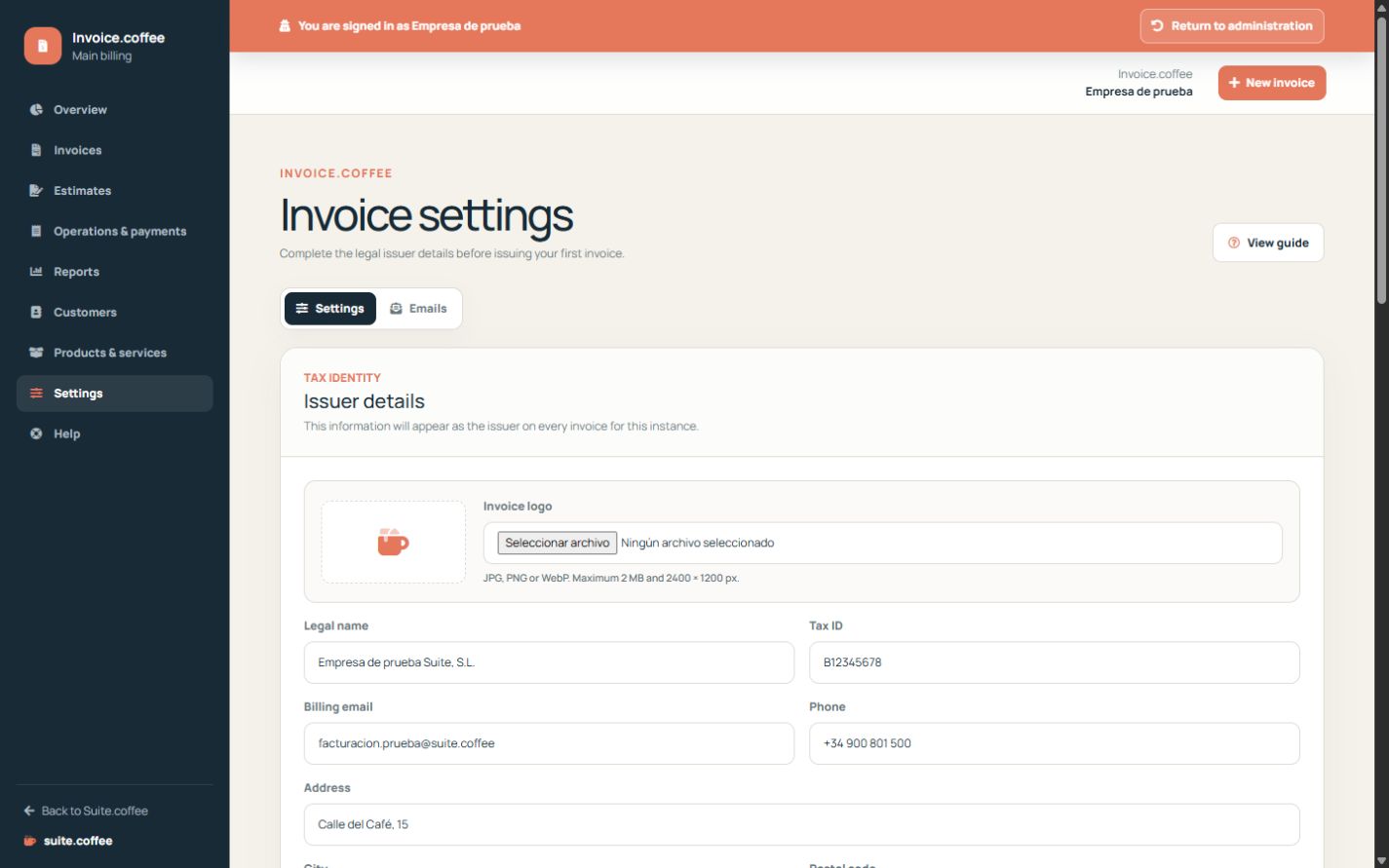
Complete the issuer identity
Enter the legal name, tax identifier, billing contact and full address. Check the country and region because they form part of the fiscal snapshot copied to issued documents.
Choose document defaults
Set the primary language, currency, default payment term, footer and invoice series prefix. Currency changes apply to new records and do not convert existing amounts.
Use the overview
The dashboard separates drafts, issued totals, outstanding balance and collected amounts. Treat it as an operational summary; it is not statutory accounting or a tax filing.
Step by step
- Open Settings from Invoice.
- Complete legal name, tax identifier and billing contact.
- Review address, country and region.
- Set language, currency, payment term, footer and numbering prefix.
- Save and create a draft to verify the result.
Final check
- Issuer identity is legally correct.
- Currency and language match intended documents.
- Numbering is ready before the first issue.
Tip: Changing settings affects new snapshots; it does not rewrite documents already issued.