










Compare issued, outstanding and collected amounts in a consistent filtered period.
Before you start
- Choose the business question and date range.
- Keep invoice and payment states up to date.
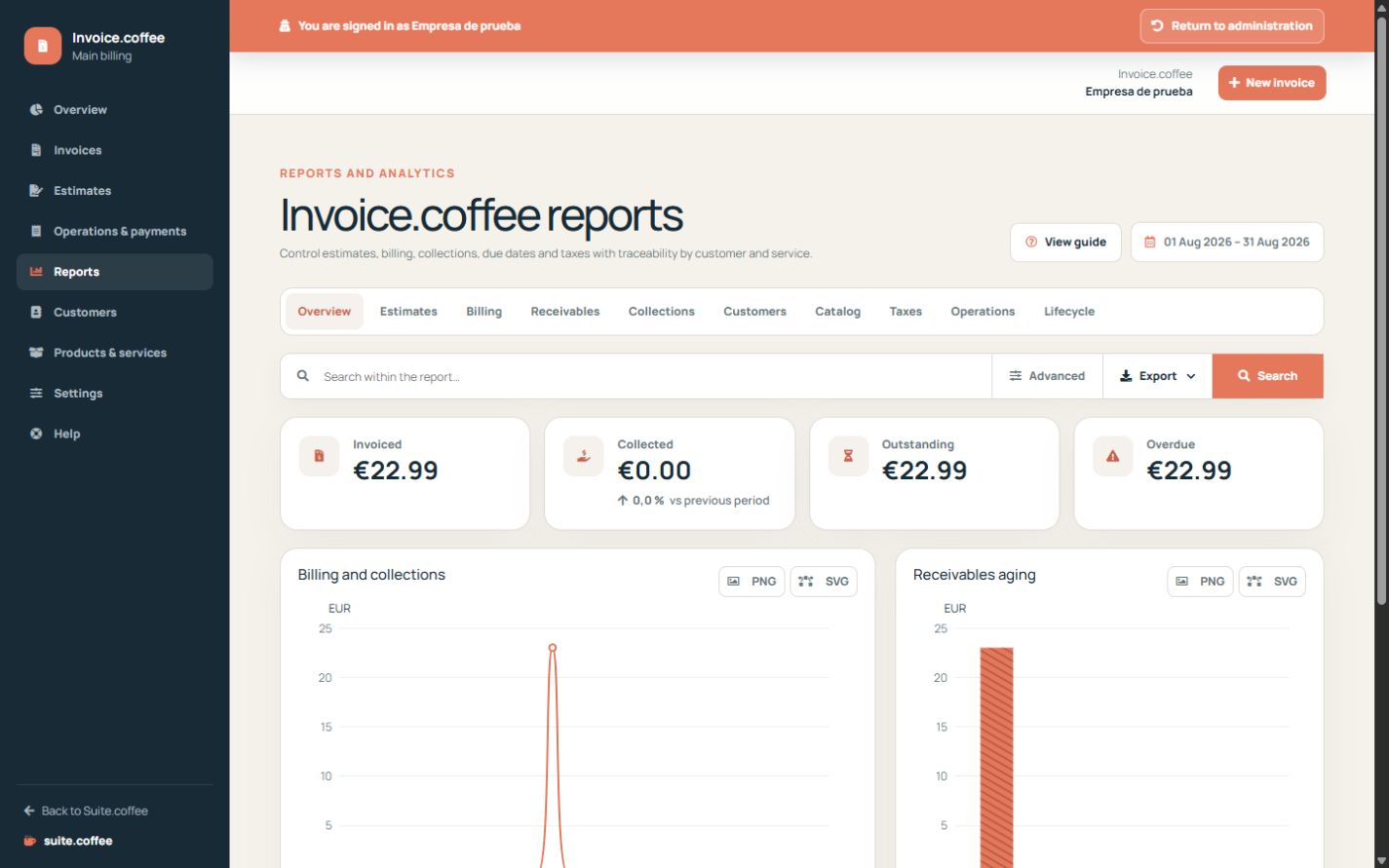
Set the reporting scope
Choose period and filters before interpreting totals. Distinguish document issue date, due status, collected amount and remaining balance.
Use operational indicators
Reports help track commercial billing, payment status and customer distribution. They do not replace accounting books, tax returns or bank reconciliation.
Export the current selection
Apply the supported filters before downloading. The file is a snapshot of that scope and will not update when later invoices or payments change.
Step by step
- Open Reports and select the period.
- Choose the relevant invoice or collection analysis.
- Apply supported status and customer filters.
- Compare totals with underlying documents.
- Export the current scope when a static copy is needed.
Final check
- Every comparison uses the same period.
- Outstanding and collected are not confused.
- The export matches the visible scope.
Tip: Use accounting and tax systems for statutory books, filings and bank reconciliation.