










Review read-only economic activity from authorised services before creating its single related invoice draft.
Before you start
- Confirm both services belong to the organisation.
- Verify the connection permits economic operations.
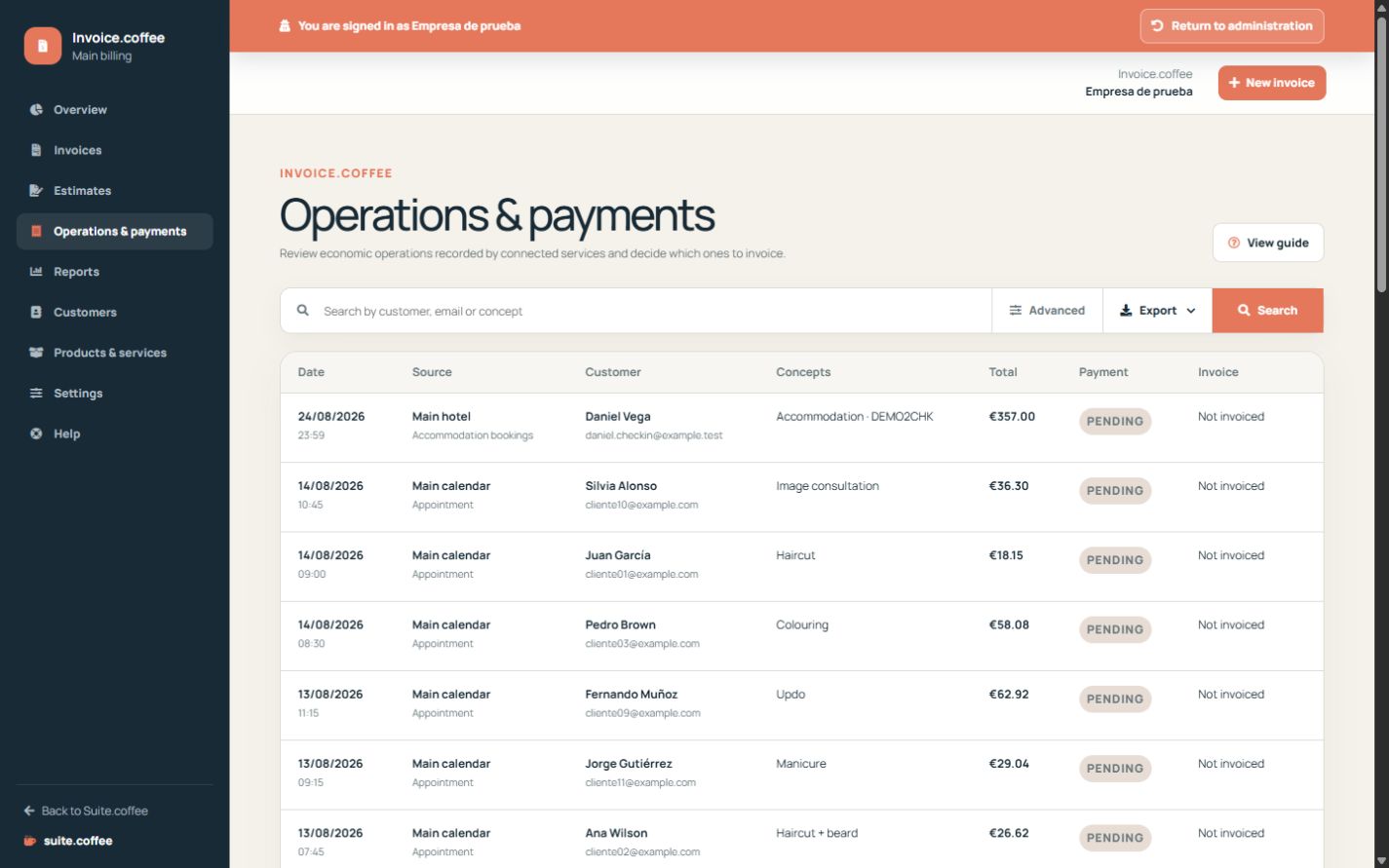
Understand the source record
Completed activity from an authorised connected service can publish an economic operation with customer, concepts, amounts and currency. Its original data remains read-only in Invoice.
Check the connection
The source and Invoice instances must belong to the same organisation and have an active connection that allows economic operations. A missing or paused connection blocks access.
Create the related draft
Review customer, concepts, taxes and currency before creating an invoice. The action is idempotent: repeat attempts must open or preserve the existing relationship rather than create duplicate billing.
Step by step
- Open Operations & payments.
- Filter and open the intended source operation.
- Review service, customer, concepts, tax and currency.
- Create the related invoice draft once.
- Open the existing relation instead of repeating creation.
Final check
- The authorised source is correct.
- Customer and currency match.
- Only one draft is linked to the operation.
Tip: Invoice reads the source operation; it does not edit the originating service record.