










Record total or partial payment evidence without presenting the entry as an online transaction.
Before you start
- Open the correct invoice or economic operation.
- Have amount, date, method and external reference.
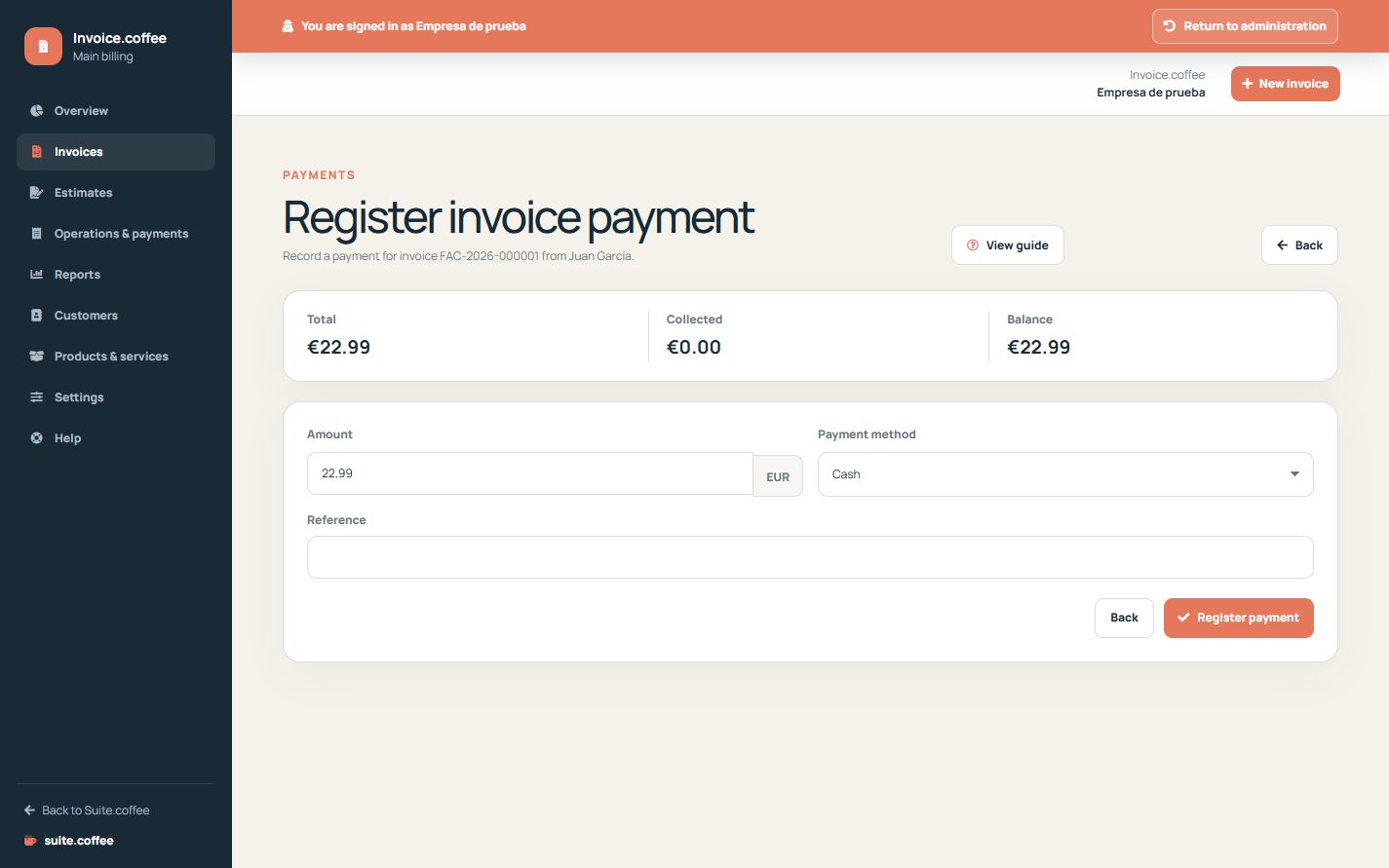
Open the correct source
Register the payment from the invoice or economic operation it belongs to. Enter amount, date, method and a useful external reference.
Respect balance and currency
The payment currency must match its invoice and the amount cannot exceed the valid outstanding balance. Partial records update the payment status without closing the remaining balance.
Know what the action does
Registering a payment stores internal evidence and updates Invoice totals. It does not charge a card, initiate a bank transfer, reconcile a bank account or refund money.
Step by step
- Open the invoice or operation.
- Choose Register payment.
- Enter an amount not exceeding the valid outstanding balance.
- Set date, method and useful external reference.
- Save and review the remaining balance and status.
Final check
- Currency matches the document.
- The amount does not exceed the balance.
- The reference can be reconciled externally.
Tip: This action records evidence; it does not charge a card, initiate a transfer or refund money.