










Adapt estimate, invoice and payment communications while preserving document variables and private links.
Before you start
- Confirm the primary document language.
- List only customer languages the business can maintain.
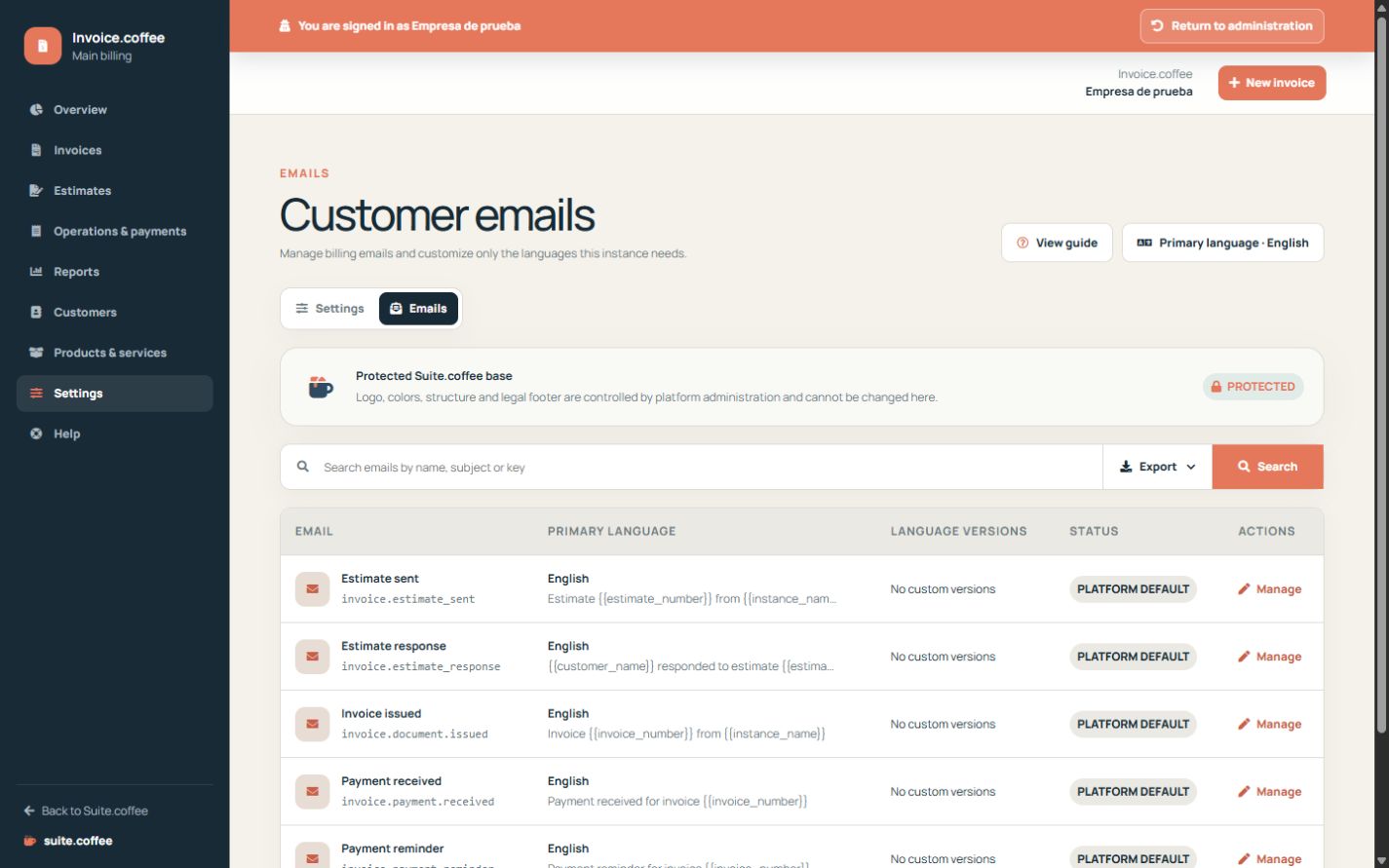
Keep the protected structure
Invoice emails use the common Suite layout. Customise the sender and content without removing variables required to identify the customer or document.
Work by language
Review the primary document language first, then add only versions needed by your customers. Empty fields inherit the platform text for that language.
Test the complete journey
Check subject, amounts, dates and private links before sending a live estimate. Email delivery does not by itself change a document into paid or accepted state.
Step by step
- Open Settings and then Emails.
- Choose the estimate, invoice or payment template.
- Review sender and primary-language content first.
- Add only required language versions.
- Preview customer, document, amounts, dates and private links.
Final check
- Required variables remain present.
- The message matches the document state.
- Every maintained language was reviewed.
Tip: Email delivery does not itself mark a proposal accepted or an invoice paid.